Magento 2 AI Product Description Generator — Multi-Store, Open Source, Groq vs GPT-4.1 Benchmark
angeo/module-ai-description-updater is an open-source Magento 2 module for bulk AI-powered product description generation across multiple store views and languages — supporting OpenAI, Anthropic Claude, Google Gemini, and Groq. It is free, MIT-licensed, and runs entirely via CLI without requiring an admin user.
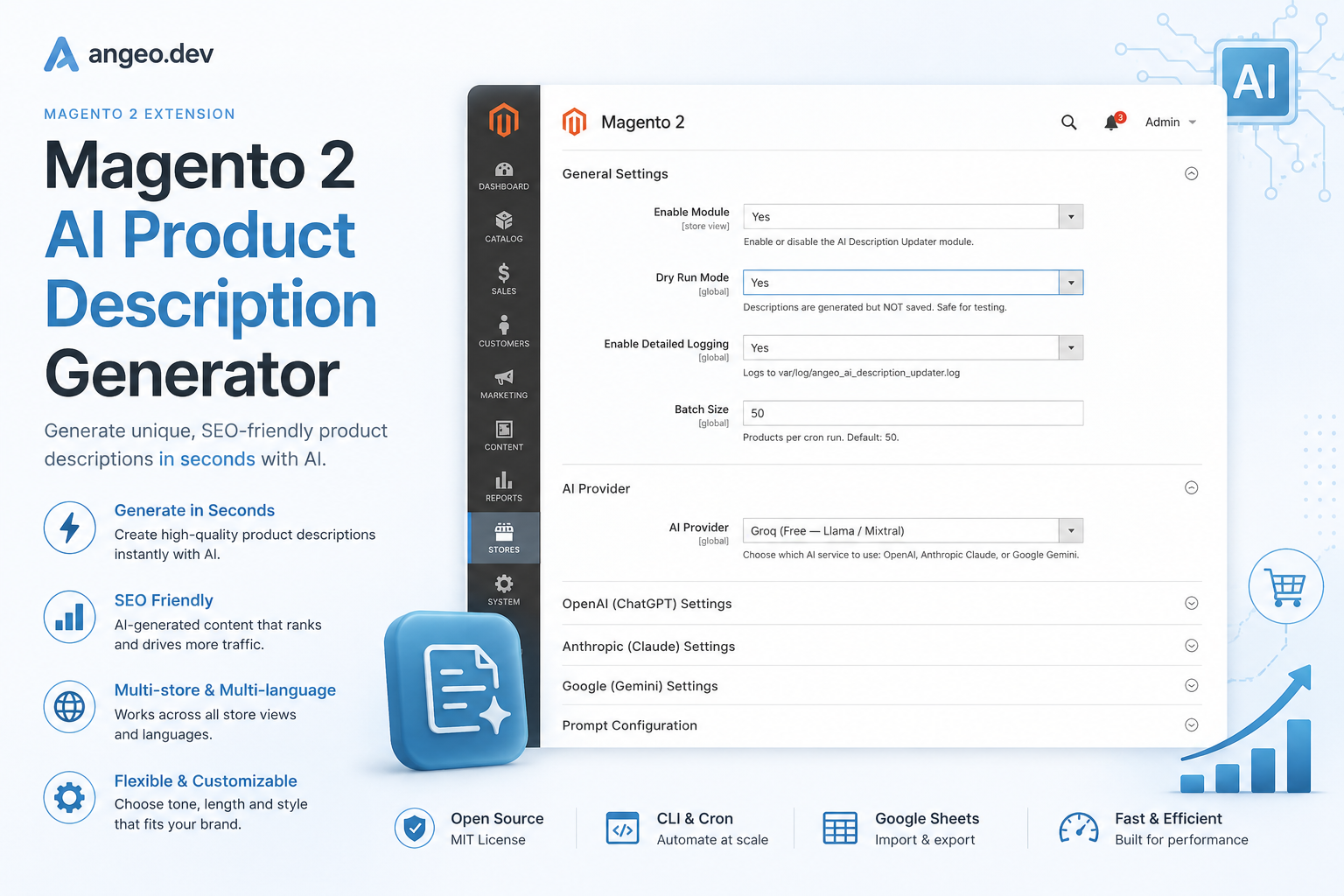
A client came to us with a Magento 2 store running four store views — English, Dutch, German, and French — and 8,000 SKUs. Their product descriptions were either copied from supplier PDFs or missing entirely. The obvious solution was AI generation. The less obvious problem was that every existing solution had at least one critical flaw.
So we built our own. Then we made it open-source.
Why existing Magento AI description tools fail multi-store setups
Most Magento AI content modules share the same architectural flaw: they save generated content to the default store scope.
In Magento 2, when you call $productRepository->get($sku) without a store ID, you get the product in the admin/global scope. When you save changes back, they override all store views. A Dutch store gets English descriptions. The multi-store architecture works correctly — the tooling ignores it.
This is not a configuration problem. Writing to the default scope is simpler to implement. Scope-aware generation requires iterating stores, loading products per store, and saving per store. Every competing module takes the simpler path.
The other failures are predictable:
- No CLI or automation. Commercial modules require an admin user clicking product by product. For 8,000 SKUs this is not a workflow — it is a full-time job.
- Single provider lock-in. Every module we evaluated supports OpenAI only. Groq — free, 14,400 requests/day — did not exist as an option in any Magento module until we built it.
- No Google Sheets integration. Merchandising teams commonly maintain spreadsheets of products that need new content. No existing module can read from or write to a Google Sheet.
| Feature | This module | Commercial alternatives |
|---|---|---|
| CLI + Cron automation | ✓ | Rarely |
| Multi-store (all store views) | ✓ | Rarely |
| Groq — free tier, no card | ✓ | Nowhere |
| Google Sheets SKU source | ✓ | Nowhere |
| Google Sheets export | ✓ | Nowhere |
| Dry-run mode | ✓ | Rarely |
| MIT license | ✓ | Rarely |
| Price | Free | $99–$299/year |
The Angeo Multi-Store AI Content Framework
The Angeo Multi-Store AI Content Framework is the architecture behind this module. It defines four layers:
- Provider Layer — a uniform interface across OpenAI, Claude, Gemini, and Groq.
- Store Iteration Layer — resolves all active store views before processing any SKUs.
- Content Pipeline — for each store × SKU: load in scope → build prompt → generate → save in scope.
- I/O Layer — reads SKUs from catalog, Google Sheet, or CLI. Writes to Magento DB, CSV, and Google Sheets.
┌─────────────────────────────────────────────────────┐
│       Angeo Multi-Store AI Content Framework        │
├──────────────┬──────────────────┬───────────────────┤
│  SKU Source  │ Store Iteration  │   AI Provider     │
│  ──────────  │  ──────────────  │  ──────────────── │
│  Catalog     │  Store 1 (EN)    │  OpenAI           │
│  G.Sheets    │  Store 2 (NL)    │  Claude           │
│  CLI --sku   │  Store 3 (DE)    │  Gemini           │
│              │  Store 4 (FR)    │  Groq (free)     │
├──────────────┴──────────────────┴───────────────────┤
│               Content Pipeline                      │
│  load(sku, storeId) → prompt → generate → save       │
├─────────────────────────────────────────────────────┤
│                    Output                           │
│  Magento DB · Local CSV · Google Sheets API v4       │
└─────────────────────────────────────────────────────┘
Store-scope-aware saving — the core difference
// ✗ Wrong — saves to default scope, overrides all store views
$product = $this->productRepository->get($sku, editMode: true);
$product->setCustomAttribute('description', $generated);
$this->productRepository->save($product);

// ✓ Correct — loads and saves in store scope
$product = $this->productRepository->get($sku, false, $storeId);
$product->setCustomAttribute('description', $generated);
$this->productService->updateAttributes($sku, $generated, $storeId);
The store name flows into the prompt automatically. When store_name is “Dutch Jewellery Store”, the model adjusts tone and terminology for that market without additional configuration.
Provider abstraction
Every AI provider implements a single interface: AiProviderInterface::generate(string $system, string $user): string. Adding a new provider requires one class and one line in di.xml. Nothing else changes.
<type name="Angeo\AiDescriptionUpdater\Service\AiProviderService">
  <arguments>
    <argument name="providers" xsi:type="array">
      <item name="openai"  xsi:type="object">...OpenAiProvider</item>
      <item name="claude"  xsi:type="object">...ClaudeProvider</item>
      <item name="gemini"  xsi:type="object">...GeminiProvider</item>
      <item name="groq"    xsi:type="object">...GroqProvider</item>
    </argument>
  </arguments>
</type>
Benchmark: Groq vs GPT-4.1 for Magento product descriptions
We ran 200 product descriptions from a real Dutch jewellery store through all four providers with the same system prompt and product names.
Speed — average response time per description
| Provider | Model | Avg. time |
|---|---|---|
| Groq | llama-3.3-70b-versatile | 0.8s |
| Groq | mixtral-8x7b-32768 | 0.6s |
| gemini-2.0-flash | 1.2s | |
| Anthropic | claude-haiku-4-5 | 1.1s |
| OpenAI | gpt-4.1-mini | 1.4s |
| OpenAI | gpt-4.1 | 2.1s |
| Anthropic | claude-sonnet-4-6 | 2.8s |
For 32,000 generations (8,000 SKUs × 4 store views): Groq ≈ 7 hours, GPT-4.1 ≈ 19 hours.
Cost per 1,000 descriptions (~200 words each)
| Provider | Model | Cost / 1k descriptions |
|---|---|---|
| Groq | llama-3.3-70b-versatile | $0.00 (free tier) |
| gemini-2.0-flash | ~$0.08 | |
| OpenAI | gpt-4.1-mini | ~$0.24 |
| Anthropic | claude-haiku-4-5 | ~$0.32 |
| OpenAI | gpt-4.1 | ~$1.80 |
| Anthropic | claude-sonnet-4-6 | ~$2.40 |
Quality — manual review of 200 samples
| Criteria | Groq Llama 3.3 | GPT-4.1-mini | GPT-4.1 | Claude Sonnet |
|---|---|---|---|---|
| Factual accuracy | ★★★★☆ | ★★★★☆ | ★★★★★ | ★★★★★ |
| Language fluency | ★★★★☆ | ★★★★☆ | ★★★★★ | ★★★★★ |
| SEO keyword use | ★★★☆☆ | ★★★★☆ | ★★★★☆ | ★★★★☆ |
| HTML formatting | ★★★★☆ | ★★★★☆ | ★★★★★ | ★★★★★ |
Recommendation: Start with Groq to validate workflow and prompt templates — it costs nothing and runs fast. Switch to GPT-4.1-mini for production if SEO keyword density matters. Use GPT-4.1 or Claude for flagship products where copy quality directly affects conversion.
Why we made it free
The honest answer is strategy. We are building angeo.dev as the default source for AI commerce tooling for Magento. Making modules free and MIT-licensed is how we get distribution.
The business model is professional services — AEO audits, full-stack Magento development, AI commerce implementation for stores that need expert help. The modules are how stores discover we exist. This is not a new model — it is how most successful open-source developer tools operate. The code is free. The expertise applied to a specific store’s situation is not.
Installation and first run
composer require angeo/module-ai-description-updater
bin/magento setup:upgrade
bin/magento setup:di:compile
bin/magento cache:flush
First run with Groq (free, 5 minutes)
# All active store views (default)
bin/magento angeo:ai-description:run

# Single SKU across all stores
bin/magento angeo:ai-description:run --sku=MY-SKU-001

# Single store view only
bin/magento angeo:ai-description:run --store=2

# Dry-run — generate but do not save
bin/magento angeo:ai-description:run --dry-run

# Combine
bin/magento angeo:ai-description:run --sku=MY-SKU --store=2 --dry-run
Key takeaways
- Magento multi-store AI generation requires store-scope-aware architecture. Saving without an explicit store ID writes to the default scope — a silent data error affecting every competing module.
- CLI-first automation scales better than admin UI workflows. For stores with more than a few hundred products, cron-based generation is the only viable approach.
- Groq is currently the best free provider for bulk ecommerce AI generation. 14,400 requests/day, no credit card, Llama 3.3 70B quality. The limitation is SEO keyword density.
- GPT-4.1-mini provides the best quality/cost balance for production stores. Comparable output to GPT-4.1 at ~17% of the price.
- The Angeo Multi-Store AI Content Framework — provider abstraction + store iteration + scope-aware save — is a reusable pattern for any Magento content generation module.
- Open-source AI tooling is becoming a competitive advantage in Magento. Stores that automate content generation now build a corpus of unique descriptions that competitors without tooling cannot replicate at scale.
Frequently asked questions
Related open-source modules
Check your store’s AEO score first
Before generating new descriptions, make sure AI systems can actually find and index your store. Free 30-second audit.
Free AEO Audit → View on PackagistWhy this matters:
- The strategic case: Descriptions in the Age of AI Search
- The technical problem: Why your descriptions are invisible to AI


0 Comments