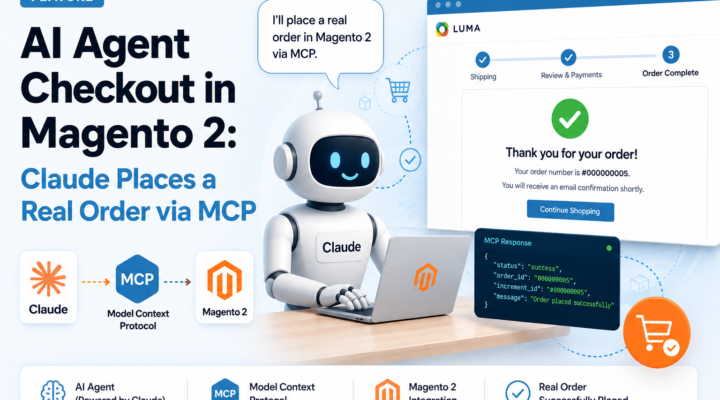
AI agents can already find products. But can they actually buy them — placing a real order in a live Magento 2 store, without browser automation or scraping? With angeo/module-mcp-checkout v1.0.0, the answer is yes. This post shows you the full flow, step by step, including a real order_number from a live demo store.
Watch the full checkout flow
How it works: architecture
User (Claude.ai)
      ↓
  MCP Client
      ↓
Magento MCP Endpoint  ←  Bearer auth + rate limiter
      ↓
Magento Service Layer
      ↓
  Quote / Cart
      ↓
    Order ✓
MCP call sequence
Every checkout runs the following tool sequence. Each call maps directly to a Magento service layer operation — no browser, no session, no cookies.
Claude
  ↓
search_products()        — find product by keyword
  ↓
get_product()            — verify SKU, price, stock
  ↓
create_cart()            — open guest cart, get cart_id
  ↓
add_to_cart()            — add item by child SKU
  ↓
get_shipping_methods()   — estimate delivery options
  ↓
set_shipping_information() — apply address + method
  ↓
[User confirms total]
  ↓
place_order()            — submit cart → order_number
angeo/module-mcp-checkout exposes these as six MCP tools over a JSON-RPC endpoint, giving AI agents a structured, authenticated interface to complete a full guest checkout:
create_cart— opens a new guest cartadd_to_cart— adds a product by SKUget_cart— reads current items and totalsget_shipping_methods— estimates available delivery optionsset_shipping_information— sets address, email, and chosen methodplace_order— submits the order after user confirmation
No browser automation, no scraping. The agent talks directly to your Magento backend through a secure, rate-limited MCP endpoint.
Security
- ✓ Bearer Authentication — every MCP request requires a valid Bearer token; unauthenticated calls are rejected at the endpoint level
- ✓ Rate limiting — configurable request throttling prevents abuse and protects store performance
- ✓ Magento ACL — MCP tools operate within Magento’s standard Access Control Layer; no privilege escalation is possible
- ✓ HTTPS only — the MCP endpoint is served exclusively over TLS; plain HTTP is not supported
- ✓ User confirmation before order placement —
place_orderis never called autonomously; the agent always presents a full order summary and waits for explicit approval - ✓ Configurable agent order limit — merchants can set a maximum order value for agent-placed orders in the Magento admin
Live demo: Claude finds a backpack and buys it
The following is a real session run against demo.angeo.dev. The prompt: “I want to buy a Fusion Backpack.”
Step 1 — Product discovery
Claude called search_products, then get_product on the result. It identified the Fusion Backpack (SKU: 24-MB02) as in-stock at $59.
Step 2 — Cart creation and item add
create_cart returned a fresh cart_id. add_to_cart confirmed the item was added: subtotal $59, grand total $59.
Step 3 — Shipping estimation
get_shipping_methods returned one available method: Flat Rate — Fixed at $10.00.
Step 4 — Address and method set
set_shipping_information applied the customer’s name, street, postcode, city, country, phone, and email. Final totals confirmed: subtotal $59 + shipping $10 = $69.00 USD.
Step 5 — User confirms, order placed
The agent presented the full order summary and waited for explicit confirmation. After the user approved, place_order submitted the cart:
{
  "order_number": "000000005",
  "status": "pending",
  "grand_total": 69,
  "currency": "USD"
}
A real order, in a real Magento store, placed entirely by an AI agent through MCP — with the user in full control at every step.
Why this matters for Magento merchants
Agentic commerce is not a future concept — it is happening now. Shoppers are already using AI assistants to research and shortlist products. The stores that close the loop by letting agents complete a purchase will capture that intent before it leaks to a competitor.
angeo/module-mcp-checkout is MIT-licensed and installs via Composer:
composer require angeo/module-mcp-checkout
bin/magento module:enable Angeo_McpCheckout
bin/magento setup:upgrade
What about payment — does Stripe work?
This is the question everyone asks, and it deserves an honest answer.
MCP agents cannot process card payments directly. Stripe requires a PCI-compliant browser form (Stripe.js / Payment Element) to tokenize card data — something fundamentally incompatible with a server-side MCP tool call. This is the same constraint that caused OpenAI to pull their native agentic checkout: collecting card details through an agent violates PCI scope.
angeo/module-mcp-checkout sidesteps this by design. The agent places the order with a deferred payment method, setting the order status to pending. Payment is then handled separately — outside the agent flow — in one of three ways:
- B2B / wholesale: the merchant sends an invoice after order placement — already a standard workflow for many Magento stores.
- Payment Link: after
place_order, the agent generates a Stripe, Mollie, or Adyen Payment Link and returns it to the user to complete in their browser. No PCI exposure, no extra fees beyond standard gateway rates. - Store redirect: the agent hands off to the store’s standard checkout page with the cart pre-filled, where the shopper completes payment through the normal payment gateway UI.
There are no additional platform fees — only standard gateway transaction fees apply, exactly as in a normal checkout. A dedicated get_payment_link tool supporting Stripe, Mollie, and Adyen is planned for v2.0.0.
Current v1.0.0 scope
- Configurable products are supported via child SKU selection — dedicated variant tooling with size/color picker is planned for v2.0.0.
- Guest checkout is the current flow — registered customer support is on the roadmap.
- Card payment is not collected by the agent — deferred payment or Payment Link handoff is used instead (see above).
- An optional agent order limit can be configured in the admin — a merchant-controlled guardrail, not a platform constraint.
FAQ
- Can Claude place a real Magento 2 order?
- Yes. The demo in this post shows a real order (
#000000005) placed on a live Magento 2 store via MCP, with no browser automation involved. - Does MCP support Stripe payments?
- Not directly — and deliberately so. Card tokenization requires a PCI-compliant browser form. The module uses deferred payment with an optional Payment Link handoff (Stripe, Mollie, Adyen), keeping the agent flow outside PCI scope entirely.
- Is browser automation required?
- No. The agent communicates with your Magento backend through a JSON-RPC MCP endpoint — no headless browser, no Selenium, no scraping, no Playwright.
- Is Selenium required?
- No.
angeo/module-mcp-checkoutreplaces Selenium-based automation entirely. The agent calls structured MCP tools directly against the Magento service layer — faster, more reliable, and easier to maintain than any browser automation approach. - Does it work with Playwright?
- Playwright is not needed and not used. MCP is a purpose-built protocol for AI-to-application communication — it is a fundamentally better fit for agentic commerce than browser automation tools like Playwright or Puppeteer.
- Is MCP faster than browser automation?
- Yes — significantly. Browser automation must load full page renders, wait for JavaScript, and parse DOM elements. MCP calls hit the Magento service layer directly via JSON-RPC, with no rendering overhead. A full checkout sequence typically completes in under 5 seconds.
- Does this work with Adobe Commerce?
- Yes. The module is compatible with both Magento Open Source and Adobe Commerce 2.4.x.
- Does the agent act autonomously without the user knowing?
- No.
place_orderis only called after explicit user confirmation. The agent presents a full order summary — items, totals, address, shipping — and waits for approval before submitting. - Is guest checkout required?
- In v1.0.0, yes. Registered customer checkout is on the v2.0.0 roadmap.
What’s next
The v2.0.0 roadmap includes registered customer checkout, a coupon/discount tool, configurable product variant tooling, and a Payment Link tool (Stripe, Mollie, Adyen) for automated payment handoff. If you are running a Magento 2 or Adobe Commerce store and want to be an early tester, reach out.
All tools shown in this post are part of the angeo.dev open-source AEO stack for Magento 2. The module is available on GitHub and Packagist — follow angeo.dev for updates.