This guide reflects Adobe’s published lifecycle policy as of June 2026. License figures are independent third-party estimates — Adobe does not publish official pricing. Always verify dates against the Adobe Commerce Lifecycle policy and request a direct quote from Adobe before making budget decisions.
TL;DR — the 2-minute version
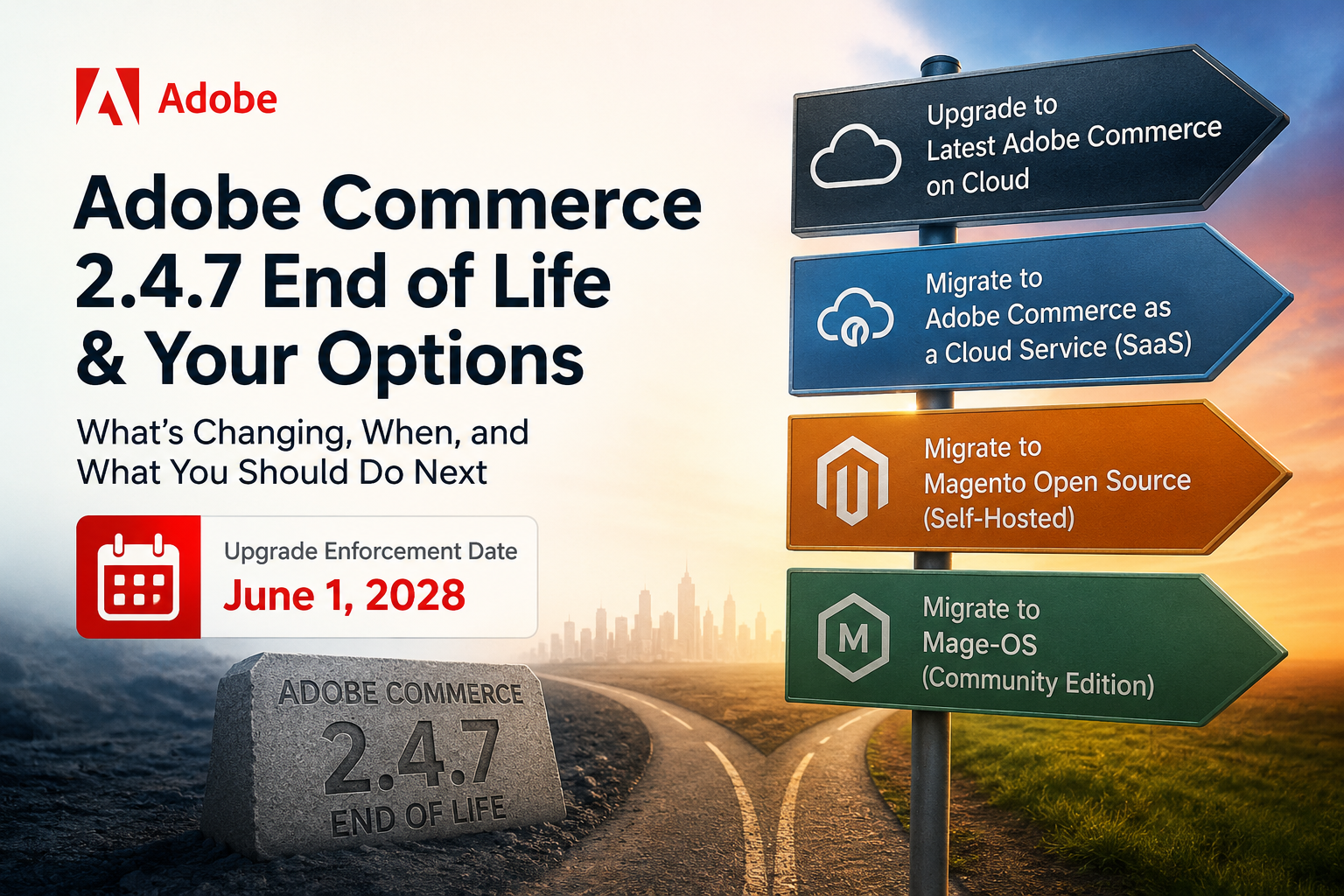
- Adobe is enforcing version upgrades on Adobe Commerce on Cloud. If you run 2.4.7, the upgrade enforcement date is June 1, 2028 — after which Adobe may enforce decommissioning of environments still on that version (it reserves the right, rather than guaranteeing an automatic shutdown).
- Adobe Commerce 2.4.7 support ends in stages: regular support May 31, 2027; extended support May 31, 2028.
- Adobe officially lists two supported paths: upgrade to the latest Adobe Commerce, or migrate to Adobe Commerce as a Cloud Service (SaaS).
- Outside Adobe’s official scope, two more compatible options exist — Magento Open Source and Mage-OS — which remove the license fee entirely. These are not endorsed by Adobe.
- Separately from the lifecycle policy: a migration is a practical moment to also fix AI visibility, since most Magento stores are invisible to ChatGPT, Gemini, and Perplexity by default.
- Adobe explicitly states it reserves the right to decommission affected environments, rather than guaranteeing automatic shutdown on the date.
- This guide is informational and does not constitute Adobe guidance.
Planning a migration? If you also want to check how visible your store is to AI search engines, there’s a free open-source self-assessment — no signup required. Entirely optional and separate from the migration decision below.
What the Adobe Commerce 2.4.7 end-of-life notice actually says
If you received the email, the wording is blunt: “Failure to act by the due date may result in your commerce environment being decommissioned and your store being offline.” That is not marketing language — it’s a lifecycle enforcement policy with a hard date.
Here is the Adobe Commerce lifecycle for version 2.4.7 on Cloud, straight from Adobe’s policy:
| Milestone | Date |
|---|---|
| Regular support ends | May 31, 2027 |
| Extended support ends | May 31, 2028 |
| Upgrade enforcement date | June 1, 2028 |
On the enforcement date, Adobe states it will stop maintenance of Cloud environments still running 2.4.7 and reserves the right to decommission them — the policy grants Adobe the authority to do so, rather than guaranteeing every store goes offline on that date. The reasoning is legitimate: Adobe is responsible for the security and PCI compliance of the hosted infrastructure, and once the underlying software dependencies (PHP versions, OS packages) hit end-of-life, Adobe can no longer guarantee that coverage. PHP 8.2, for example, reaches end of life on December 31, 2026 — after which the PHP project ships no further security patches, creating a PCI compliance risk for anyone still running it afterward.
So the deadline is real. The question is which direction you move in — and the notice quietly narrows your field to two options when there are four.
What Adobe officially offers
Adobe’s lifecycle enforcement policy provides two supported paths:
- Upgrade to the latest Adobe Commerce on Cloud version
- Migrate to Adobe Commerce as a Cloud Service (SaaS)
These are the only options explicitly covered by Adobe in its lifecycle communication.
What exists outside Adobe’s official scope
In the broader Magento ecosystem, two more deployment models exist. They are not part of Adobe’s lifecycle policy and are not endorsed by Adobe — but they remain technically compatible paths for merchants who choose to leave Adobe’s commercial ecosystem:
- Magento Open Source — self-hosted, free license.
- Mage-OS — a community-governed fork of Magento Open Source.
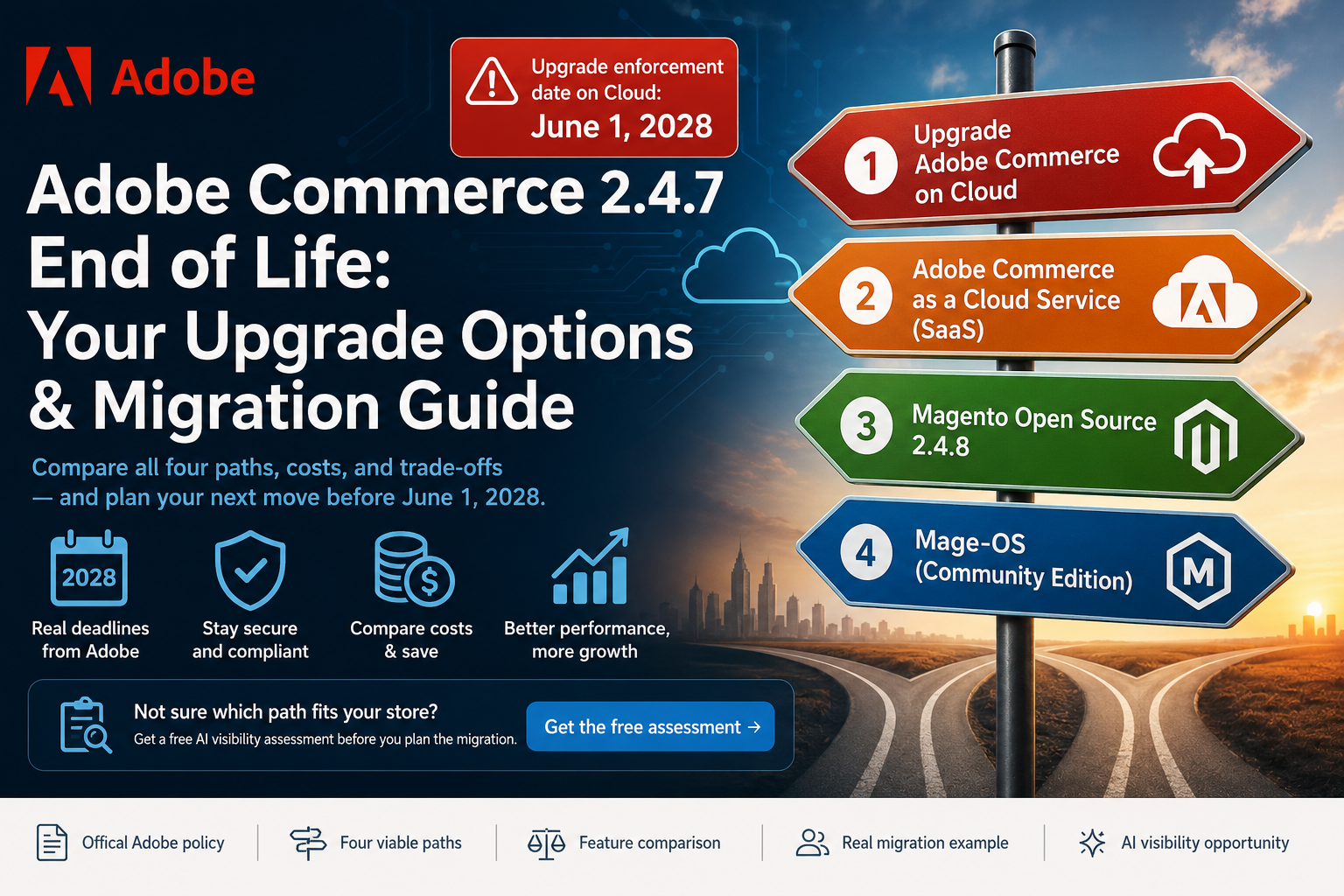
All four paths side by side
Reminder: only the first two paths below are part of Adobe’s official lifecycle policy. Magento Open Source and Mage-OS are market alternatives, not Adobe-endorsed options.
Taken together — Adobe’s two official paths plus the two market alternatives — here is the full field. All four sit on the same Magento 2 foundation; the difference is who owns the stack, who pays for what, and how much control you keep.
| Path | License cost | Hosting | Best fit |
|---|---|---|---|
| 1. Upgrade Adobe Commerce on Cloud | Revenue-based (~$40K–$190K+/yr) | Adobe-managed (PaaS) | Complex B2B, needs Adobe support & SLA |
| 2. Adobe Commerce as a Cloud Service | SaaS subscription | Adobe full-stack (auto-patched) | Want zero infrastructure responsibility |
| 3. Magento Open Source 2.4.8 | $0 | Your own / any host | Have a dev team, want full control |
| 4. Mage-OS | $0 | Your own / any host | Want independence from Adobe’s roadmap |
Option 1 — Upgrade to the latest Adobe Commerce on Cloud
This keeps your deployment model and moves you to a supported software stack (2.4.8, supported until May 2028, or the newer 2.4.9). You keep the native B2B suite, Adobe Live Search, Page Builder, and Adobe support. The catch Adobe states plainly in the notice: “this path does not eliminate future version upgrade obligations.” You’ll be doing this again at the next enforcement date.
Option 2 — Migrate to Adobe Commerce as a Cloud Service (SaaS)
Adobe positions this as its recommended long-term destination. Adobe manages all infrastructure, patching, and upgrades automatically, so the version-enforcement problem doesn’t recur. The trade-offs are inherent to the SaaS model: less control over the stack, a degree of vendor lock-in and reduced data portability compared with self-hosting, and extension and customisation limits relative to the open codebase of on-premises Magento. You also remain inside Adobe’s commercial ecosystem and its pricing. For organisations prioritising operational simplicity over customisation flexibility, it may nonetheless be the preferred option.
Option 3 — Magento Open Source 2.4.8
Same core codebase as Adobe Commerce — the same PHP 8.2–8.4 runtime, the same EAV catalog model, the same checkout flow, the same Composer extension system. What you give up: the native B2B suite, Adobe Live Search (Sensei), and Adobe’s support contract. What you gain: zero license fee and no vendor lock-in — host anywhere. For a store with engineering capacity in-house or via an agency, this can be a suitable option — though the right call depends on your architecture, B2B needs, and how much you relied on Adobe-specific features.
Option 4 — Mage-OS
Mage-OS is a nonprofit, community-governed fork of Magento Open Source. It’s 100% compatible with Magento 2 extensions and themes. At the dependency level the switch can be relatively quick — it’s primarily a composer.json change plus composer update — but a full migration still includes testing, QA, and deployment planning, so treat any single-figure time estimate as the code step only, not the whole project. The current line, Mage-OS 3.x, is built on Magento Open Source 2.4.9 and adds PHP 8.5 support alongside 8.3 and 8.4; it publishes security updates within days of Adobe’s monthly patch releases rather than on a quarterly cadence. Note that Mage-OS 3 dropped PHP 8.2 support (minimum is now PHP 8.3) and moved to Symfony 7.4 LTS, so for a store still on PHP 8.2 the move includes a required PHP upgrade, not only a Composer change. If independence from Adobe’s commercial priorities matters to you, this is the option the notice will never mention.
Adobe Commerce vs Magento Open Source vs Mage-OS: feature comparison
This is the comparison most merchants actually want when they hit the 2.4.7 deadline. All three run the same Magento 2 core; the differences are in the commercial layer, governance, and cost. Note: of the three, only Adobe Commerce is covered by Adobe’s lifecycle policy — Magento Open Source and Mage-OS sit outside Adobe’s official scope.
| Feature | Adobe Commerce | Magento Open Source | Mage-OS |
|---|---|---|---|
| License cost | Revenue-based ($$$) | Free | Free |
| Core codebase | Magento 2 | Magento 2 | Magento 2 (fork) |
| Native B2B suite | Yes | No (extension) | No (extension) |
| Live Search / Sensei AI | Yes | No | No |
| Page Builder | Yes | Yes (since 2.4.3) | Yes |
| Vendor lock-in | High | None | None |
| Hosting | Adobe (PaaS/SaaS) | Any host | Any host |
| Security patch cadence | Adobe quarterly | Adobe quarterly | Days after Patch Tuesday |
| PHP roadmap control | Adobe | Adobe | Community (PHP 8.5, min 8.3) |
| Extension compatibility | Full | Full | Full |
| Adobe support / SLA | Yes | No | No |
| Recurring upgrade enforcement | Yes | Self-managed | Self-managed |
Features vary by edition and implementation.
Adobe Commerce alternatives in 2026
The 2.4.7 deadline is also a natural moment to ask a bigger question: should you stay on the Magento platform at all? For most established Magento merchants the answer is yes — the migration cost and operational disruption of leaving the ecosystem rarely pay off when a same-core option (Magento Open Source or Mage-OS) removes the license fee without a replatform. But it’s worth understanding the full field of Adobe Commerce alternatives before committing.
Same-platform alternatives (no replatform)
These run the identical Magento 2 core, so your catalog, extensions, and team knowledge carry over with minimal disruption:
- Magento Open Source — the free, self-hosted edition. Zero license fee, full codebase access, host anywhere. The most direct alternative to Adobe Commerce for teams that don’t need the native B2B suite or Adobe support.
- Mage-OS — the community-governed fork. Same compatibility as Open Source, with a community-managed release cadence and independent governance. Worth considering if your concern is long-term independence from Adobe’s commercial roadmap.
Different-platform alternatives (full replatform)
These are genuinely different systems. Moving to any of them means rebuilding your storefront, re-integrating systems, and migrating data — a much larger project than staying on the Magento core. They’re worth considering only if your reasons for leaving go beyond cost:
- Shopify Plus — a fully hosted SaaS platform. Fast to launch and operate, with strong native AI-commerce distribution, but far less control over the stack and a transaction-fee model. Suits merchants who want to offload all infrastructure and accept platform-mediated rules.
- BigCommerce — another SaaS option with open APIs and no platform transaction fees, positioned between Shopify’s simplicity and Magento’s flexibility.
- WooCommerce — the WordPress-based, open-source option. Lower ceiling for large complex catalogs, but a fit for content-led stores already living in WordPress.
For a merchant who simply received a 2.4.7 notice and wants to control cost, a full replatform to Shopify Plus, BigCommerce, or WooCommerce is usually the most expensive and disruptive answer to a problem that Magento Open Source or Mage-OS solves with the same codebase. Replatforming makes sense when the business reason is the platform itself — not the Adobe license.
Modernising the frontend, whichever platform you keep
Regardless of edition, the Hyvä theme has become the de facto modern Magento frontend in 2026. Built on Tailwind CSS and Alpine.js, it replaces the legacy Luma architecture and consistently reaches sub-2-second product page load times. If you’re already touching the stack for a 2.4.7 migration, a Hyvä frontend is often worth scoping into the same project.
Who should NOT migrate away from Adobe Commerce?
This guide leans practical, not ideological. Open source is the right answer for many mid-market stores — but not all. You should probably stay on Adobe Commerce if any of the following describe you:
- Large enterprise B2B organisations relying on Adobe’s native company accounts, shared catalogs, quote-to-order workflows, and approval routing. Replicating that depth on Open Source is real engineering work that can outweigh the license savings.
- Teams that require Adobe support SLAs — where guaranteed response times and vendor accountability are a procurement or compliance requirement, not a nice-to-have.
- Businesses deeply integrated into Adobe Experience Cloud — using Adobe Analytics, Target, Real-Time CDP, or Sensei-driven personalisation as part of a unified stack. The integration value can justify the commercial layer.
- High-GMV operations where the commercial layer pays for itself — if Live Search, native B2B, and managed cloud measurably lift conversion or reduce ops cost beyond the license fee, staying is the rational call.
If you see your business in this list, the better move is usually Option 1 or 2 — upgrade Adobe Commerce or migrate to the Cloud Service — rather than chasing a license saving that costs more to achieve than it returns.
What Adobe Commerce pricing actually looks like: a worked example
Independent analyst estimates for 2025–2026 put Adobe Commerce license cost in these bands. It’s a revenue-participation model — the bill rises automatically as your GMV grows:
| Annual GMV | On-premises | On Cloud |
|---|---|---|
| Under $1M | ~$22K/yr | ~$40K/yr |
| $1M–$5M | ~$30K–55K/yr | ~$55K–80K/yr |
| $5M–$25M | ~$55K–120K/yr | up to ~$190K/yr |
| $25M+ | negotiated | often $190K+/yr |
Take a $3M GMV store. On Adobe Commerce Cloud that’s roughly $55K–80K per year in license alone. Move the same store to Magento Open Source or Mage-OS and the license line goes to zero — you pay for hosting and a one-time migration instead. Over three years, the difference comfortably exceeds $150,000. That’s budget that can fund the migration itself several times over, plus the AI-commerce work that actually drives new revenue.
Real migration example: Adobe Commerce Cloud to Magento Open Source
To make the numbers concrete, here is an illustrative migration scenario based on multiple Adobe Commerce migration projects of this size. The figures represent a typical mid-market project, not a single named client — your results depend on catalog complexity, B2B requirements, and hosting choices.
| Dimension | Detail |
|---|---|
| Starting platform | Adobe Commerce on Cloud 2.4.7 |
| Annual GMV | ~$4.2M |
| Destination | Magento Open Source 2.4.8 + Hyvä |
| Project duration | ~6 weeks (audit, migration, QA, cutover) |
| License savings | ~$72,000/year |
| Hosting cost change | ~38% reduction vs Adobe Cloud |
| Checkout downtime | None, via staged cutover |
| B2B handling | Native suite replaced with extensions |
The pattern holds across most mid-market migrations: the heaviest lift is not the platform swap — it’s re-implementing whatever Adobe-specific commercial features the store relied on (B2B workflows, Live Search) and modernising the PHP and search-engine stack. The core catalog, checkout, and extensions carry over because the foundation is identical.
How hard is the migration, really?
Because Adobe Commerce and Magento Open Source share the same core, moving between them is far less dramatic than a replatform to a different vendor. The CLI commands are identical (bin/magento setup:upgrade, bin/magento cache:flush), every Marketplace extension installs the same way, and your theme, catalog, and checkout logic carry over.
What needs planning:
- B2B features — if you rely on Adobe’s native company accounts, shared catalogs, or quote-to-order workflows, those need extensions or custom development on Open Source / Mage-OS.
- Live Search & Sensei recommendations — replaceable with OpenSearch plus best-of-breed search/recommendation tools.
- PHP & search engine — 2.4.8 requires PHP 8.3+ and OpenSearch 2.19 (Elasticsearch is deprecated). Budget infrastructure time for this regardless of which path you pick.
For a Mage-OS migration specifically, the switch is primarily at the dependency level — point Composer at the Mage-OS repository and update.
Optional consideration: AI visibility, while you’re already touching the stack
This is an optional SEO/UX consideration unrelated to Adobe lifecycle compliance or platform selection. It’s not part of the 2.4.7 notice and does not affect which migration path is right for you. It’s included only because a migration is one of the few times the whole stack is open for changes.
A 2.4.7 migration means re-deploying robots.txt, schema, and frontend templates regardless of which path you choose. That makes it a practical moment to also address a gap most Magento stores share: visibility in AI answer engines. Whether you land on Adobe Commerce Cloud, the SaaS service, Open Source, or Mage-OS, your store is invisible to ChatGPT, Gemini, and Perplexity by default — and the fixes touch the same files you’re already editing during the migration.
AI answer engines evaluate a different set of signals than Google: AI crawler access in robots.txt, an llms.txt content map, complete Product JSON-LD schema with offers.availability, and a registered AI product feed. Based on AEO audits across 50+ Magento stores ranging from 500 to 50,000 SKUs using the Angeo AEO framework, a default Magento 2 install — on any edition — scores around 25% on these signals, regardless of how mature its traditional SEO is. A store can rank #1 on Google and still never appear when a shopper asks ChatGPT “what’s a good cast iron pan under $80?”
Folding this into the same migration project avoids touching the stack twice. To be clear, this is optional and unrelated to Adobe’s lifecycle requirements — it’s an efficiency point about timing, not part of the compliance decision.
Check where your store stands — free
Before you commit to any migration path, run a free AEO audit. It scores your store across the signals AI search engines use to discover and recommend you — robots.txt, llms.txt, Product schema, AI product feed — and gives you a prioritised fix list. No signup, open-source CLI.
So which path should you take?
There’s no universal answer, but the decision usually comes down to one question: do you genuinely need Adobe’s commercial layer — the native B2B suite, Live Search, and managed SLA — enough to justify a license fee that scales with your revenue?
- Complex B2B, enterprise scale, want Adobe’s SLA → upgrade Adobe Commerce, or move to the Cloud Service.
- Mid-market, capable dev team, want control and zero license → Magento Open Source 2.4.8 + Hyvä.
- Want the open-source path with faster patches and independence from Adobe’s roadmap → Mage-OS.
Whatever you choose, two things are true: the 2.4.7 clock is running toward June 1, 2028, and migrating without fixing AI visibility leaves money on the table. Plan both at once.
Related technologies and vendors
- Adobe Commerce — the commercial edition of Magento 2, with native B2B, Live Search, and Adobe-managed cloud hosting.
- Adobe Commerce as a Cloud Service — Adobe’s full-stack SaaS commerce platform; Adobe’s recommended long-term destination.
- Magento Open Source — the free, self-hosted edition of Magento 2 sharing the same core codebase as Adobe Commerce.
- Mage-OS — a nonprofit, community-governed fork of Magento Open Source with faster security patches and independent governance.
- Hyvä — the modern Magento frontend (Tailwind CSS + Alpine.js) that replaces the legacy Luma theme for sub-2-second page loads.
- OpenSearch — the search engine Magento 2.4.8 is optimised for, replacing the now-deprecated Elasticsearch.
- PHP 8.3 / 8.5 — the runtime required by current Magento releases; Mage-OS 3 supports PHP 8.5 alongside 8.3 and 8.4 (minimum PHP 8.3).
- Adobe — the vendor that owns Magento and publishes the lifecycle and upgrade enforcement policies referenced here.
- Shopify Plus — a hosted SaaS commerce platform; a different-platform alternative for merchants wanting fully managed infrastructure.
- BigCommerce — a SaaS commerce platform with open APIs and no platform transaction fees.
- WooCommerce — the open-source, WordPress-based commerce platform.
Frequently asked questions
When does Adobe Commerce 2.4.7 reach end of life?
Regular support for Adobe Commerce 2.4.7 ends May 31, 2027, and extended support ends May 31, 2028. For Adobe Commerce on Cloud, the upgrade enforcement date is June 1, 2028, after which Adobe reserves the right to decommission environments still running 2.4.7.
Will Adobe really decommission my 2.4.7 store?
For Adobe Commerce on Cloud, yes — that is the stated policy. After the June 1, 2028 enforcement date Adobe stops maintenance of Cloud environments still on 2.4.7 and reserves the right to decommission them. Self-hosted Adobe Commerce and Magento Open Source are not auto-decommissioned, but running unsupported software creates security and PCI compliance risk.
What are my options besides upgrading Adobe Commerce?
Four paths exist: upgrade to the latest Adobe Commerce on Cloud, migrate to Adobe Commerce as a Cloud Service (SaaS), move to Magento Open Source 2.4.8 (zero license fee), or migrate to Mage-OS — a community-governed fork with faster security patches and full extension compatibility. Adobe’s notice only mentions the first two.
How much does Adobe Commerce cost vs Magento Open Source?
Adobe Commerce license is a revenue-participation model — roughly $40,000/year on Cloud under $1M GMV, rising to $190,000+/year at higher GMV. Magento Open Source and Mage-OS have zero license fee; you pay only hosting and development. For a $3M GMV store the multi-year difference often exceeds $150,000.
What is the difference between Magento Open Source and Mage-OS?
Both are free and share the Magento 2 core. Magento Open Source is maintained by Adobe on its quarterly release schedule. Mage-OS is an independent nonprofit fork governed by the community, shipping critical security patches faster and adopting new PHP versions (such as PHP 8.5) ahead of Adobe. Mage-OS keeps 100% extension compatibility, so migration from Open Source is typically a Composer change.
Is migrating from Adobe Commerce to Mage-OS difficult?
Adobe Commerce and Magento Open Source share the same core codebase. Because Adobe Commerce and Magento Open Source share the same core, the dependency switch to Mage-OS can be relatively quick — primarily a composer.json change and composer update. A full migration still involves testing, QA, and deployment planning, so the quick part is the code step, not the whole project. You also lose Adobe’s native B2B suite, Live Search, and Adobe support, which can be replaced with extensions or custom development.
Does migrating off 2.4.7 make my store visible in ChatGPT?
No. AI visibility is a separate layer from the platform version. Based on AEO audits across 50+ Magento stores using the Angeo AEO framework, a default Magento 2 install on any edition scores around 25% on AEO signals because AI crawlers are blocked in robots.txt, there is no llms.txt, and Product schema is incomplete. These need to be configured deliberately regardless of which migration path you take.