- Default Magento 2 outputs microdata — not JSON-LD. AI engines prefer JSON-LD.
- The single most common failure:
offers.availabilityis missing — ChatGPT Shopping skips your product entirely. - AI crawlers do not execute JavaScript — schema via GTM is invisible to OAI-SearchBot and PerplexityBot.
- Hyvä Theme has zero Product schema by default — neither microdata nor JSON-LD.
- This guide gives you the copy-paste fix, Magento-specific pitfalls, Hyvä solution, and a validation checklist.

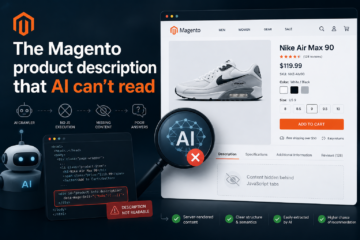
Your Magento store might rank on page one in Google — and still be invisible to ChatGPT, Gemini, and Perplexity. In most cases, the reason is not robots.txt or llms.txt. It is Product schema.
AI search engines need structured product data to answer purchase queries. When they cannot parse your product data from JSON-LD, they skip your store and recommend a competitor whose schema is correct. This guide covers exactly what is missing, why, and how to fix it.
Before vs After: What Schema Visibility Looks Like
| Setup | ChatGPT Shopping | Gemini product results | Perplexity citations |
|---|---|---|---|
| No schema | ❌ Invisible | ❌ Invisible | ❌ Invisible |
| Microdata only (Luma default) | ⚠️ Partially parsed | ⚠️ Partially parsed | ⚠️ Inconsistent |
JSON-LD, no offers.availability | ❌ Feed validation fails | ⚠️ May appear | ⚠️ May appear |
| Full JSON-LD + availability + rating | ✅ Eligible for Shopping | ✅ Product results | ✅ Cited with price |
Why Magento 2 Fails AI Schema by Default
Default Magento 2 (Luma theme) outputs microdata — the older itemscope/itemprop HTML attribute format:
<!-- Default Magento Luma — NOT sufficient for AI search -->
<div itemscope itemtype="http://schema.org/Product">
  <span itemprop="name">Product Name</span>
  <div itemprop="offers" itemscope itemtype="http://schema.org/Offer">
    <span itemprop="price">49.99</span>
    <!-- offers.availability missing — AI cannot confirm purchasability -->
  </div>
</div>
Three problems with this for AI search:
1. It is microdata, not JSON-LD. Modern AI crawlers including OAI-SearchBot (ChatGPT) and Google-Extended (Gemini) prefer JSON-LD. Microdata is embedded in HTML that themes and extensions modify — it breaks easily and silently.
2. offers.availability is missing. This is the single most common failure. Without explicit availability set to a schema.org URI, ChatGPT Shopping feed validation fails automatically.
3. AI crawlers do not execute JavaScript. Schema injected via Google Tag Manager or any JavaScript that runs after initial page load is completely invisible to AI crawlers. Schema must be server-side rendered in the HTML source.
Critical: If you use GTM to inject schema, AI engines cannot see it. This is confirmed by how OAI-SearchBot and PerplexityBot work — they parse the raw HTML response, not the rendered DOM. This is the most overlooked Magento AEO mistake.
The Complete Copy-Paste Product JSON-LD
This is the spec-compliant JSON-LD that passes all AEO audit checks. Copy and adapt with your product data:
<script type="application/ld+json">
{
  "@context": "https://schema.org/",
  "@type": "Product",
  "name": "Alpine Hiking Jacket",
  "description": "Waterproof 3-layer shell for alpine conditions. 300g weight, packed size 18x10cm.",
  "sku": "WB-004",
  "image": [
    "https://yourstore.com/media/catalog/product/jacket-front.jpg",
    "https://yourstore.com/media/catalog/product/jacket-back.jpg"
  ],
  "brand": {
    "@type": "Brand",
    "name": "TrailMaster"
  },
  "offers": {
    "@type": "Offer",
    "priceCurrency": "EUR",
    "price": "189.99",
    "priceValidUntil": "2026-12-31",
    "availability": "https://schema.org/InStock",
    "itemCondition": "https://schema.org/NewCondition",
    "url": "https://yourstore.com/alpine-hiking-jacket.html",
    "seller": {
      "@type": "Organization",
      "name": "Your Store Name"
    }
  },
  "aggregateRating": {
    "@type": "AggregateRating",
    "ratingValue": "4.6",
    "reviewCount": "38",
    "bestRating": "5",
    "worstRating": "1"
  }
}
</script>
Required Fields — What AI Engines Actually Need
| Field | Required for AI? | Common mistake |
|---|---|---|
@type: Product | ✅ Required | Using IndividualProduct — both work, Product is preferred |
name | ✅ Required | Including HTML tags in the name string |
offers.availability | ✅ Required | Text string instead of URI (see table below) |
offers.price | ✅ Required | Including currency symbol: "€189" instead of "189.99" |
offers.priceCurrency | ✅ Required | Using symbol € instead of ISO code EUR |
image | ⚠️ Strongly recommended | Relative URL instead of absolute |
sku | ⚠️ Strongly recommended | Often missing entirely |
aggregateRating | ⚠️ Strongly recommended | Including when reviewCount is 0 — this causes validation error |
brand | ⚠️ Recommended | Plain string instead of {"@type": "Brand", "name": "..."} |
description | ⚠️ Recommended | Duplicate of page title instead of unique description |
offers.availability — Correct vs Wrong Format
| Stock status | ✅ Correct value | ❌ Wrong (silently rejected) |
|---|---|---|
| In stock | https://schema.org/InStock | "In Stock" / "instock" / "available" |
| Out of stock | https://schema.org/OutOfStock | "Out of Stock" / "unavailable" |
| Pre-order | https://schema.org/PreOrder | "preorder" / "coming soon" |
| Back order | https://schema.org/BackOrder | "backorder" |
AI parsers require the full schema.org URI. Text strings are parsed as unknown values and treated as missing. No error is shown — your product just doesn’t appear.
Configurable Products — Correct Structure
Default Magento flattens configurable product schema. If 6 of 8 size variants are in stock and 2 are not, AI engines may see “availability unclear” and suppress the listing. Correct structure uses AggregateOffer with per-variant Offer objects:
{
  "@type": "Product",
  "name": "Running Shoe",
  "offers": {
    "@type": "AggregateOffer",
    "offerCount": 8,
    "lowPrice": "89.99",
    "highPrice": "89.99",
    "priceCurrency": "EUR",
    "availability": "https://schema.org/InStock",
    "offers": [
      {
        "@type": "Offer",
        "sku": "RS-42-BLK",
        "name": "Size 42 / Black",
        "availability": "https://schema.org/InStock",
        "price": "89.99",
        "priceCurrency": "EUR"
      },
      {
        "@type": "Offer",
        "sku": "RS-43-BLK",
        "name": "Size 43 / Black",
        "availability": "https://schema.org/OutOfStock",
        "price": "89.99",
        "priceCurrency": "EUR"
      }
    ]
  }
}
Hyvä Theme — Why Schema Is Completely Missing
If your store runs on Hyvä Theme, there is zero Product schema by default — neither microdata nor JSON-LD. Hyvä is built on Alpine.js and does not include the Luma-based product template that generates microdata.
Verify:
curl -s https://yourstore.com/sample-product.html | grep -c 'application/ld+json'
# Returns 0 → no JSON-LD at all

curl -s https://yourstore.com/sample-product.html | grep -c 'itemscope'
# Returns 0 → no microdata either
The fix requires injecting JSON-LD via layout XML. Create Vendor_Theme/layout/catalog_product_view.xml:
<?xml version="1.0"?>
<page xmlns:xsi="http://www.w3.org/2001/XMLSchema-instance"
      xsi:noNamespaceSchemaLocation="urn:magento:framework:View/Layout/etc/page_configuration.xsd">
    <head>
        <block class="Magento\Framework\View\Element\Template"
               name="product.json.ld"
               template="Vendor_Module::product/json-ld.phtml"/>
    </head>
</page>
Note: JSON-LD injected via
<head>in layout XML is server-side rendered and visible to AI crawlers. This is exactly where it needs to be.
Or use angeo/module-rich-data which handles both Luma and Hyvä automatically without any template editing.
How to Diagnose Your Current Schema
Run this one-liner to see exactly what schema your product pages output:
# Replace with a real product URL from your store
curl -s https://yourstore.com/sample-product.html | \
  python3 -c "
import sys, json, re
body = sys.stdin.read()
blocks = re.findall(r'<script[^>]+type=\"application/ld\+json\"[^>]*>(.*?)</script>', body, re.DOTALL)
for b in blocks:
    try:
        d = json.loads(b)
        items = d if isinstance(d, list) else [d]
        for item in items:
            nodes = item.get('@graph', [item])
            for n in nodes:
                if n.get('@type') in ('Product', 'IndividualProduct'):
                    print('FOUND Product schema')
                    offers = n.get('offers', {})
                    if isinstance(offers, list): offers = offers[0] if offers else {}
                    print('availability:', offers.get('availability', 'MISSING'))
                    print('price:', offers.get('price', 'MISSING'))
                    print('priceCurrency:', offers.get('priceCurrency', 'MISSING'))
                    print('aggregateRating:', 'present' if n.get('aggregateRating') else 'MISSING')
    except: pass
  "
Four possible outputs:
| Output | Meaning | Action |
|---|---|---|
| No output | No Product schema at all | Install angeo/module-rich-data |
availability: MISSING | Schema exists, offers missing | Fix offers block |
availability: InStock | Wrong format (text string) | Change to full URI |
availability: https://schema.org/InStock | Correct | Re-run CLI audit to confirm |
Or use the CLI audit module for a full 9-signal AEO check:
composer require angeo/module-aeo-audit
bin/magento setup:upgrade && bin/magento cache:flush
bin/magento angeo:aeo:audit
Implementation Options
Option 1 — Module (recommended, 5 minutes)
composer require angeo/module-rich-data
bin/magento setup:upgrade && bin/magento cache:flush
The angeo/module-rich-data module injects server-side JSON-LD for all product pages automatically. Works on Luma and Hyvä. Includes Product, Organization, BreadcrumbList, WebSite, and FAQPage schema. MIT licensed, free.
Option 2 — Manual phtml template
Create app/design/frontend/Vendor/Theme/Magento_Catalog/templates/product/json-ld.phtml:
<?php
$product = $block->getProduct();
$schema = [
    '@context' => 'https://schema.org/',
    '@type'    => 'Product',
    'name'     => $product->getName(),
    'sku'      => $product->getSku(),
    'offers'   => [
        '@type'         => 'Offer',
        'price'         => (string) $product->getFinalPrice(),
        'priceCurrency' => $block->getCurrencyCode(),
        'availability'  => $product->isAvailable()
            ? 'https://schema.org/InStock'
            : 'https://schema.org/OutOfStock',
        'itemCondition' => 'https://schema.org/NewCondition',
    ],
];
?>
<script type="application/ld+json">
<?= json_encode($schema, JSON_PRETTY_PRINT | JSON_UNESCAPED_SLASHES | JSON_UNESCAPED_UNICODE) ?>
</script>
Option 3 — GTM
Not recommended for AEO. GTM injects schema after page load via JavaScript. AI crawlers parse raw HTML and do not execute JavaScript — schema injected via GTM is completely invisible to OAI-SearchBot, PerplexityBot, and Google-Extended. If you currently use GTM for schema, you have no AI-visible schema regardless of what Google Tag Manager shows.
Validation Checklist
- ☐ JSON-LD format (not microdata or GTM-injected)
- ☐
offers.availabilityset to full schema.org URI - ☐
offers.priceis a number string without currency symbol - ☐
offers.priceCurrencyis ISO 4217 code (EUR, USD, GBP) - ☐
imagecontains at least one absolute URL - ☐
aggregateRatingomitted ifreviewCountis 0 - ☐ Schema server-side rendered (visible in
curloutput) - ☐ Hyvä: schema injected via layout XML
<head> - ☐ Configurable products use
AggregateOfferwith per-variantOffer - ☐ Validated at validator.schema.org — zero errors
FAQ
Does Magento 2 support Product JSON-LD out of the box?
No. Default Luma outputs microdata (the older itemscope/itemprop format), not JSON-LD. Additionally, the default microdata is missing offers.availability. Hyvä Theme stores have zero Product schema by default — neither microdata nor JSON-LD.
Is offers.availability required for ChatGPT Shopping?
Yes. ChatGPT Shopping feed validation fails automatically when offers.availability is missing or set to a text string. The value must be a full schema.org URI: https://schema.org/InStock.
Does ChatGPT actually read JSON-LD from my Magento store?
Yes, via OAI-SearchBot. It parses the raw HTML response of your product pages. However, it does not execute JavaScript — schema injected via GTM or any JS that runs after page load is invisible. Schema must be server-side rendered.
Does GTM-injected schema work for AI search?
No. AI crawlers do not execute JavaScript. Schema injected via GTM is invisible to OAI-SearchBot, PerplexityBot, and Google-Extended. This is one of the most common AEO mistakes — a store passes Google Rich Results Test but has zero AI-visible schema because it all goes through GTM.
Why does Hyvä Theme break Product schema?
Hyvä removes Luma’s product templates entirely to rebuild them in Alpine.js. The microdata that Luma injects via phtml templates is gone. You need to add JSON-LD separately via layout XML or a module like angeo/module-rich-data.
Does Google Rich Results Test passing mean my schema is correct for AI?
Not fully. Google Rich Results validates schema for Google Search features like rich snippets. AI search engines (ChatGPT Shopping specifically) require additional fields — particularly offers.availability as a full URI — that Google does not enforce but OpenAI does. Always verify with the CLI audit tool, not just Google’s test.
What’s Next
Product schema is one of 9 AEO signals. After fixing schema, the next highest-impact signals are:
- robots.txt AI bot access — weight 20%, blocked by default on most Magento stores
- llms.txt generation — weight 18%, Perplexity’s documented crawl signal
- ChatGPT Shopping registration — ACP product feed required for Shopping results
Run the full audit to see your current score across all signals:
bin/magento angeo:aeo:auditOr check any store URL without installing: angeo.dev/ai-magento-audit


0 Comments